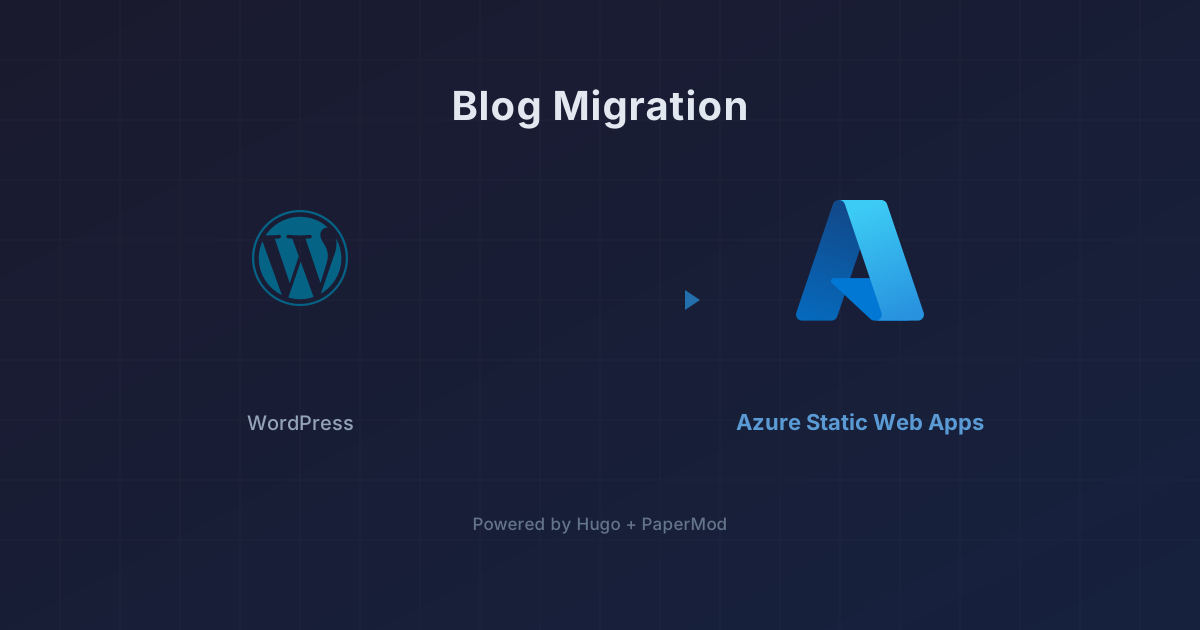
Blog Migration: WordPress to Hugo on Azure
After 16 years on WordPress, I’ve moved the blog to Hugo with the PaperMod theme, hosted on Azure Static Web Apps. Here’s why.
After 16 years on WordPress, I’ve moved the blog to Hugo with the PaperMod theme, hosted on Azure Static Web Apps. Here’s why.

Claude Code has changed how I do infrastructure work. Here’s how I use it, and a commitment about AI-generated content on this blog.
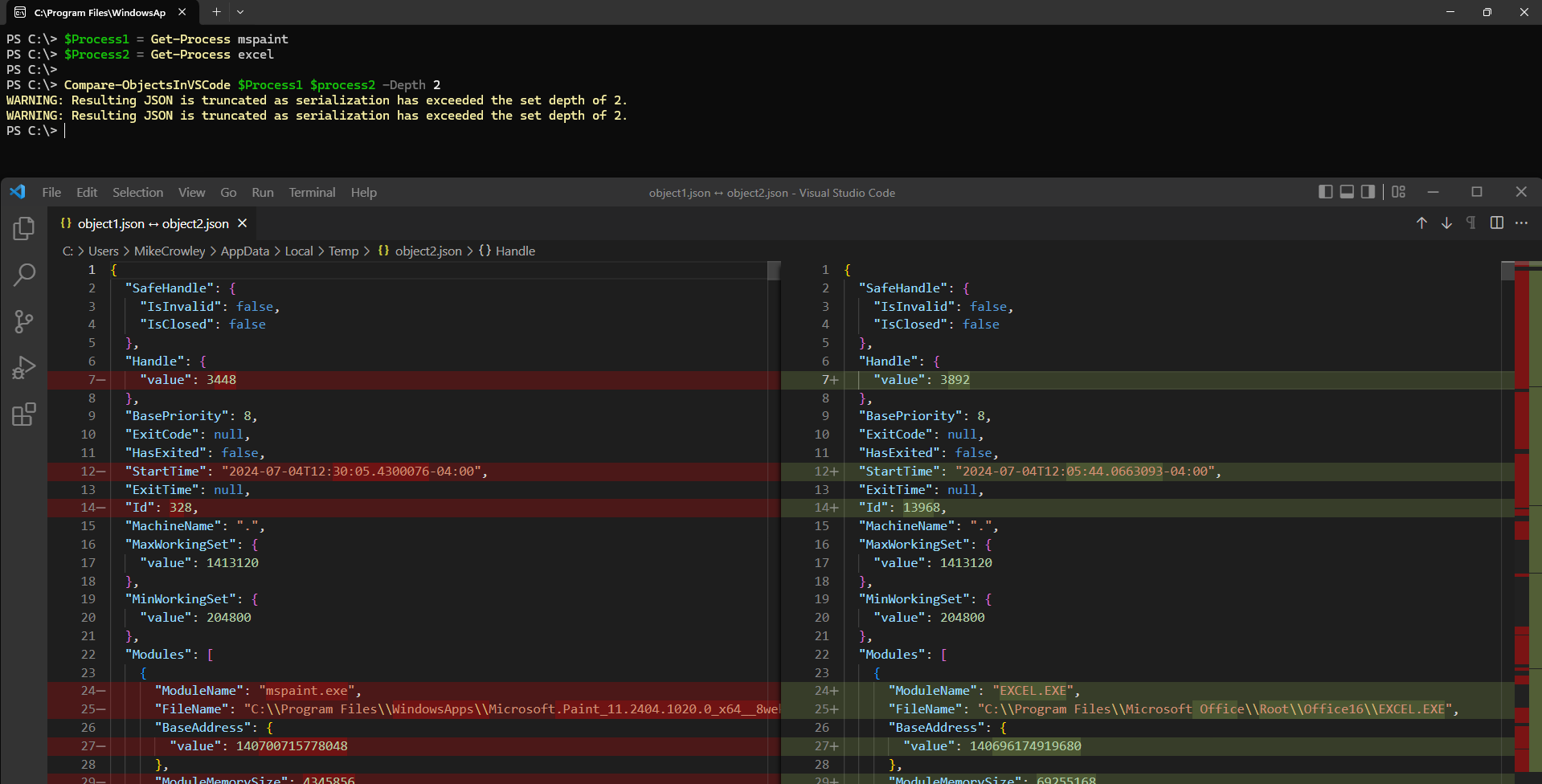
PowerShell’s Compare-Object is great for programmatic comparisons, but VS Code offers a better visual experience for complex objects.
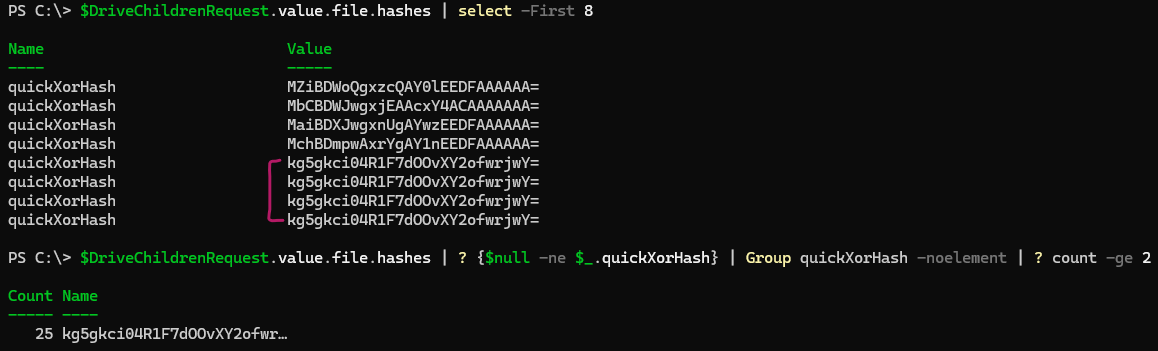
Learn how to use the quickXorHash property in Microsoft Graph to identify duplicate files across OneDrive and SharePoint Online.

After years of ad-free blogging, I’m offering a way to support the site.
Learn how to use the new SignInActivity attribute in Microsoft Graph to identify inactive user accounts in Azure AD.
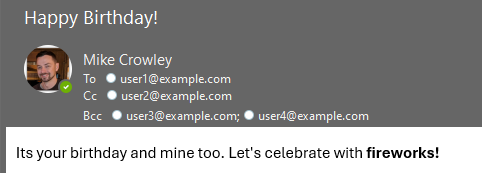
A practical guide to using Send-MgUserMail for sending emails with attachments via Microsoft Graph PowerShell.
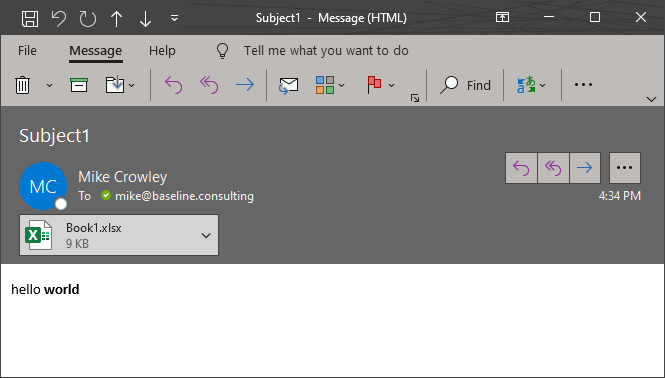
A complete example of using Send-MgUserMessage with HTML body and file attachments via the Microsoft Graph PowerShell module.
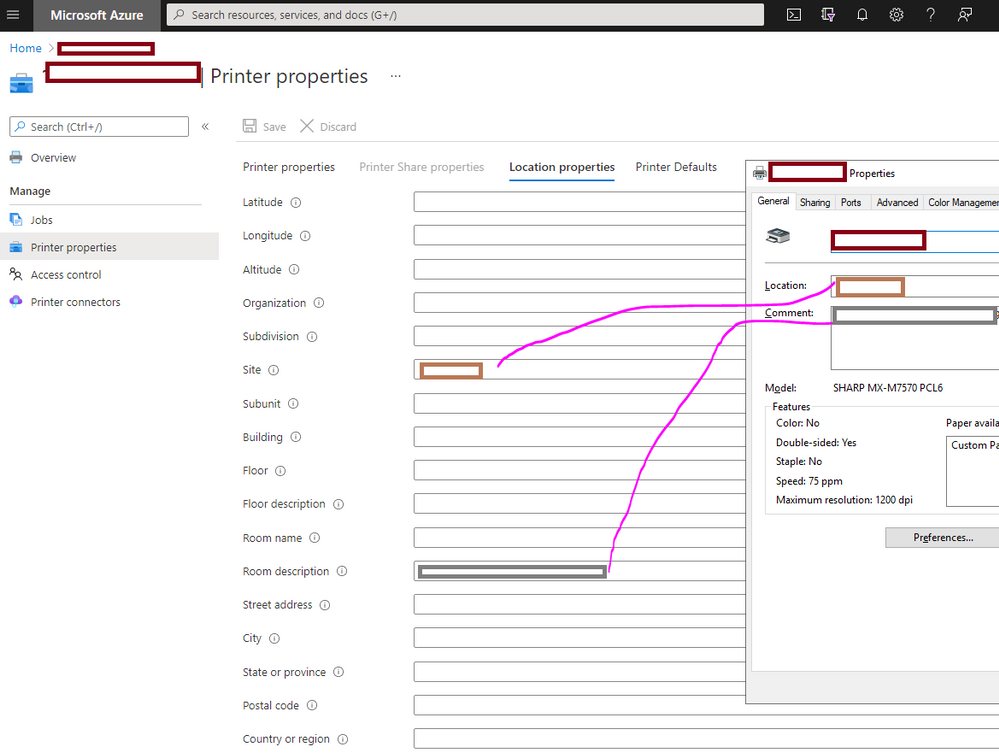
The Universal Print Connector doesn’t upload location and comments from on-premises printers. Here’s a script to map those fields.

After years of searching, I finally found the registry key that controls Outlook’s Work Offline mode - using ProcMon.
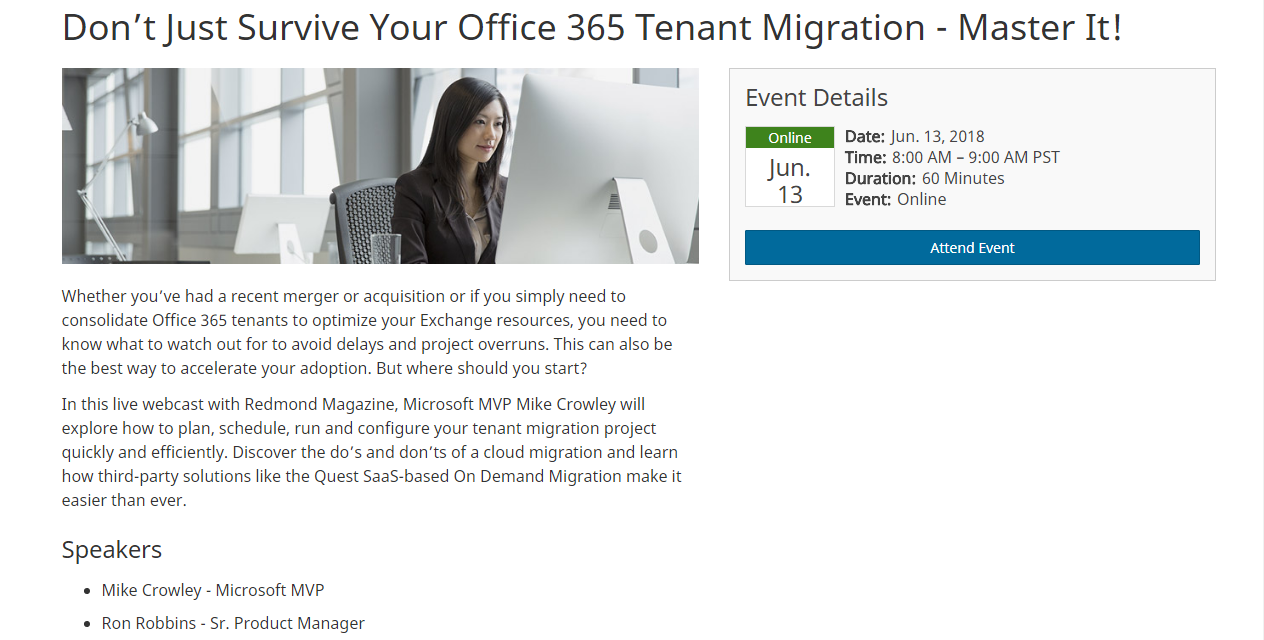
A recorded webcast covering the complexities and best practices for Office 365 tenant-to-tenant migrations.
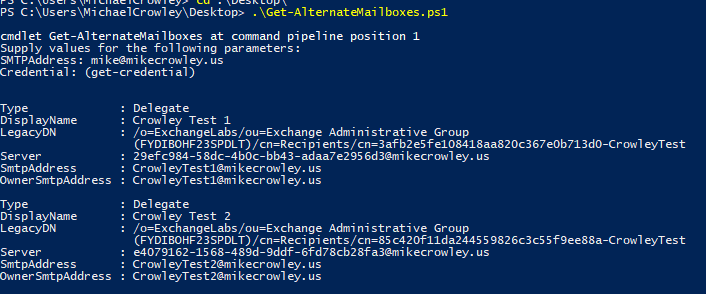
The msExchDelegateListLink attribute isn’t exposed in Exchange Online cmdlets, but you can query it via AutoDiscover using SOAP and PowerShell.
A webcast with Quest Software covering real-life experiences and advice for dealing with ransomware outbreaks.
A webcast discussion with Mimecast on the need for third-party security add-ons to Office 365.
An interview with KnowBe4 founder Stu Sjouwerman sharing insights and real-world experiences dealing with ransomware outbreaks.

I joined Richard Campbell on RunAsRadio to discuss Microsoft’s evolving mobile device management capabilities in Windows Intune.

Celebrating my seventh consecutive year as a Microsoft MVP and reflecting on the great relationships built through the program.
Two recent webcasts: Best Practices for Migrating PSTs to Office 365 and Office 365 Migrations and Beyond – Planning for Potential Risks.
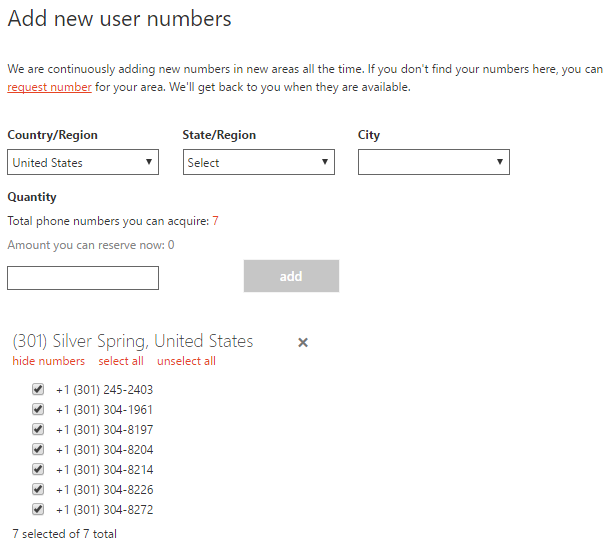
The Admin Center limits phone number selection. Here’s how to use PowerShell to search the inventory and find more desirable numbers.
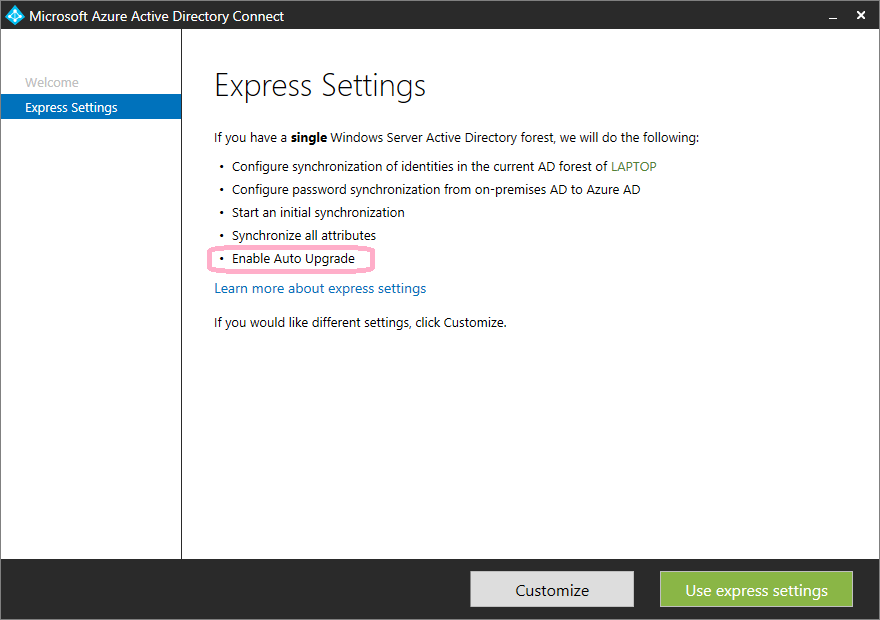
Azure AD Connect 1.1 introduced automatic upgrades. Here’s how to enable or disable this feature and when you might want to.
I was invited back to the Exchange Server Pro Podcast to discuss Exchange Server’s Preferred Architecture and how to balance best practices against real-world environments.

Announcing my presentation on Office 365 directory synchronization at the Rockville-based Office 365 user group meeting on November 12, 2015.
I joined Paul Cunningham on the Exchange Server Pro Podcast to discuss ways to protect Exchange from attack and recent OWA vulnerabilities.

Microsoft’s documentation for Azure AD Connect cmdlets was severely lacking. Here’s a reference table of all 69 ADSync module cmdlets with notes and examples.

Announcing two speaking sessions at IT/Dev Connections: Exchange Online Protection In-Depth and Mastering PowerShell for Exchange Online.
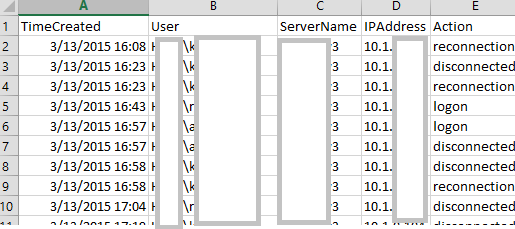
Introducing RDPConnectionParser.ps1 for collecting Remote Desktop session data and an updated RecipientReportv5.ps1 for Exchange recipient analysis.
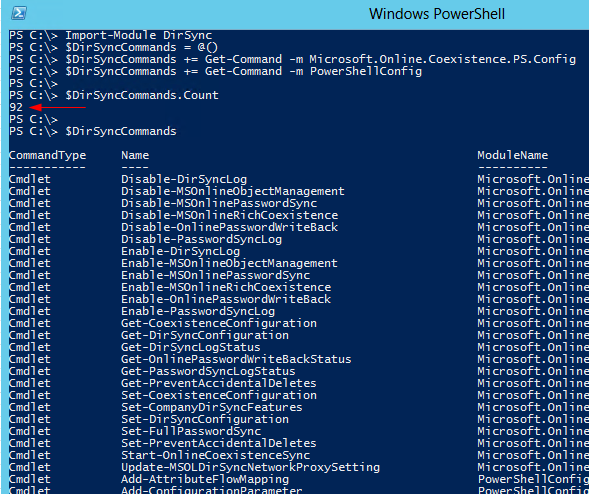
DirSync’s PowerShell functionality can now be invoked through the Import-Module cmdlet rather than running a custom DirSyncConfigShell.psc1 file. The module contains approximately 92 DirSync-related cmdlets. Module Structure The DirSync module itself functions as a wrapper containing no cmdlets. Instead, it calls %programfiles%\Windows Azure Active Directory Sync\dirsync\DirSync.psd1. The actual cmdlets are housed in the Microsoft.Online.Coexistence.PS.Config module and PowerShellConfig. Documented Cmdlets (25 total) Notable documented cmdlets include: ...
Today, Microsoft released a 9 page guide on backing up and restoring the Microsoft Azure Active Directory Sync tool. You can get it here. Some things to keep in mind: This guide applies to DirSync when used with the full version of SQL only. This means it does not apply to most installations. You don’t need to backup or restore DirSync. If you simply install a new instance and configure it appropriately, the objects will re-sync. Doing a backup/restore can save time however, if you have a very large number of users (I wouldn’t bother with less than 100k). Ironically, this guide doesn’t actually tell you how to backup or restore the database. You need some SQL-aware backup product to do that. Instead, this guide helps you make use of a restored database in a DirSync environment (working with miisclient.exe, handling keys, etc).
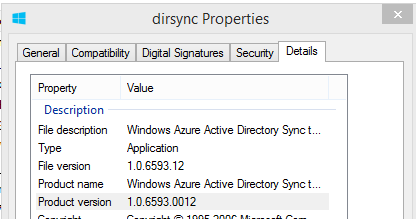
Late Monday, Microsoft released another update to the DirSync software, this time with a build number of 6593.0012. You can download it in from the usual link. As with previous DirSync updates, there has been no official announcement of the release, however the “use at your own risk” Wiki does mention one of the new features: Version 6593.0012 Date Released 2/3/2014 Notable Changes New features: Additional Attributes are synchronized on User and Contact objects The new attributes referenced in the link are userCertificate and userSMIMECertificate. Interestingly pwdLastSet was also added, however there is no mention of that one in the article. These additions serve an unknown purpose for now, however one might speculate that they are in support of new capabilities soon to be available in the service?! ...
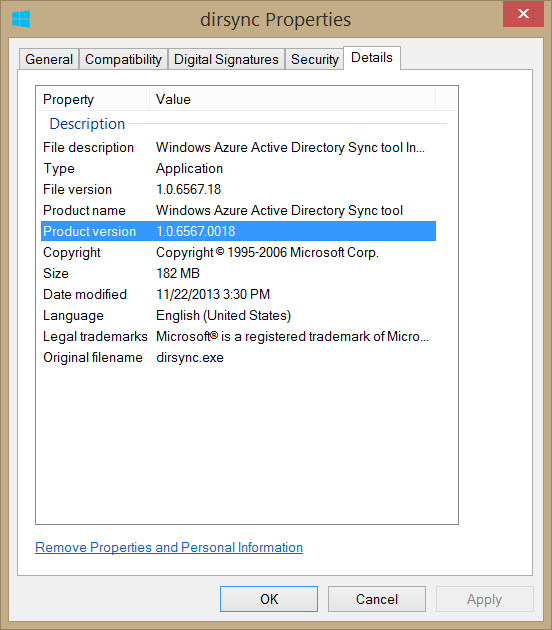
Microsoft released DirSync version 1.0.6567.0018 after quietly withdrawing a previous version last week. The prior iteration had encountered synchronization complications during the export phase, documented in KB 2906832. New Feature DirSync can now be installed on a Domain Controller. Important: You must log off and log on AFTER installation and BEFORE running the configuration wizard. Bug Fixes and Improvements This release addresses multiple technical issues: ...
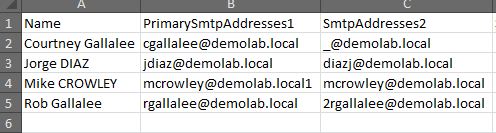
I’ve published an update to the popular Exchange Proxy Address (EmailAddresses) Report script. The updated script includes improved output formatting for both on-screen display and Excel export. Check out the original post for download and usage details.
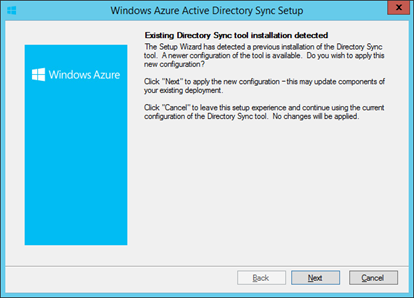
EDIT (Nov. 22, 2013): DirSync 1.0.6567.0018 Has Been Released EDIT (Nov. 11, 2013): DirSync 1.0.6553.2 has been removed from Microsoft’s download site and version history comment removed from the Wiki. Not sure why. Early this morning, Microsoft released an updated version of Windows Azure Active Directory Sync tool (DirSync to you and me). Version 1.0.6553.2 (or later) can be downloaded from the usual link. It comes with 4 known improvements: Fix to address Sync Engine memory leak Fix to address “staging-error” during full import from Azure Active Directory Fix to handle Read-Only Domain Controllers in Password Sync DirSync can be installed on a Domain Controller I am most excited about #4, as this enables me to build more interesting labs from my laptop, now that I don’t need a dedicated “DirSync Server”. You should note however, this is recommended only for “development” environments. After some further testing, I’d consider recommending this configuration for shops with multiple domain controllers and 50 or fewer users. ...
I finally got around to updating my Bio page for anyone interested.
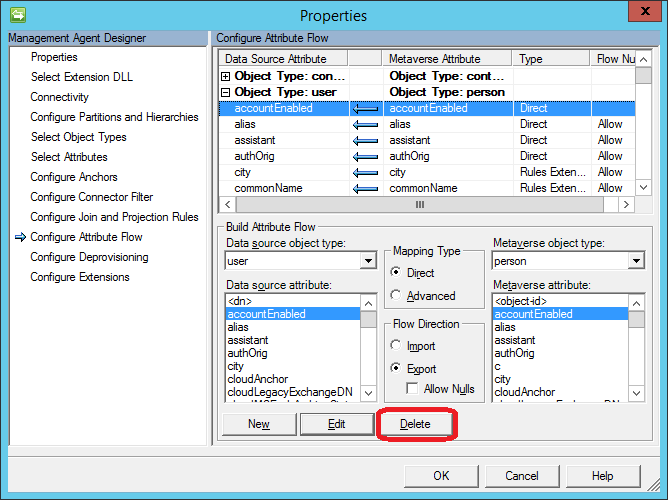
In this two-part article, I have laid out a scenario in which DirSync sets the Azure BlockCredential attribute of disabled Active Directory users. In Part 1, I explained how the Windows Azure Active Directory Sync tool (DirSync) causes this to happen. Part 2 (below) discusses how to change this behavior. Last time, we saw that magic a rules extension prevents a user from logging into Office 365 if their on-premises Active Directory account was disabled. Below, I’ll show you how to override this attribute flow, but first a note on Microsoft Support: ...
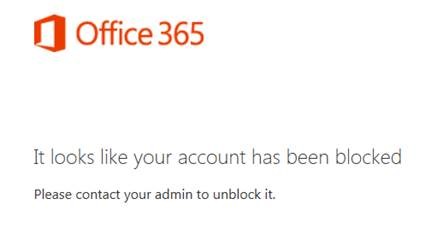
In this two-part article, I will describe a scenario in which DirSync sets the Azure BlockCredential attribute of disabled Active Directory users. In Part 1 (below) I explain how the Windows Azure Active Directory Sync tool (DirSync) causes this to happen. Part 2 discusses how to change this behavior. As I’ve been discussing, DirSync can be more complicated than it appears. Even if you are familiar with the miisclient.exe console, some of FIM’s logic is hidden in “Rules Extension” DLL files such as MSONLINE.RulesExt.dll. These files can be reverse-engineered to some degree, however it can be very difficult. ...
Microsoft has published seven System Center evaluation VHDs. They are great and very easy to deploy, with a wizard automatically configuring them into your environment! Available Downloads System Center 2012 R2 App Controller – Evaluation (VHD) System Center 2012 R2 Configuration Manager – Evaluation (VHD) System Center 2012 R2 Data Protection Manager – Evaluation (VHD) System Center 2012 R2 Operations Manager – Evaluation (VHD) System Center 2012 R2 Orchestrator – Evaluation (VHD) System Center 2012 R2 Service Manager – Evaluation (VHD) System Center 2012 R2 Virtual Machine Manager – Evaluation (VHD) For more information, see the “What’s New in System Center 2012 R2” documentation from Microsoft. ...
For those not interested in the complete DirSync Report published last week, you can now run just the Password Hash Sync portion using a script published here: Dirsync: Determine if Password Sync is Enabled. For deployments with remote SQL installations: As with the previous report, note that the script uses the SQL PowerShell Module, which must be present on the computer. If you like this post, you may like my others on DirSync: DirSync tag.

If you administer DirSync for your organization, you likely have seen emails like this, indicating some of your users didn’t sync. It can be a frustrating email, since the “error description” is for some reason blank and the “On-premises object ID” column is not something that’s easy to correlate to a user account within your Active Directory. There are also application event log entries (FIMSynchronizationService #6111 and Directory Synchronization #0), but again these aren’t exactly rich with detail. ...
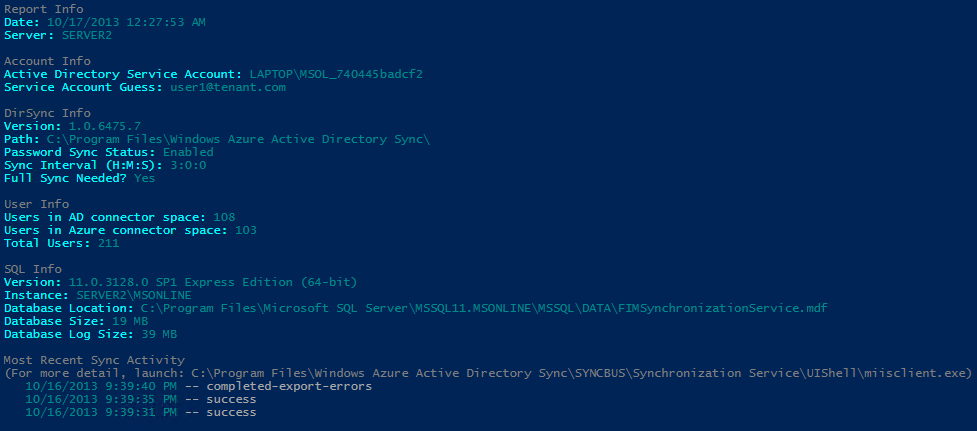
Azure Active Directory Sync (DirSync) seems so simple on the surface doesn’t it? “Next, Next, Finish”, right? Ha! If you’ve ever had to revisit your DirSync server to troubleshoot or make a configuration change, you know there can be more than meets the eye. A lot of useful information happens to be scattered across various registry keys, SQL tables and XML files. If you’re not familiar with the FIM Management Console, and these other locations it might be hard to see what’s going on. ...

Update: Be aware, this script has not been tested with SIP, X400 or other address types. I recently encountered a question in an online forum where someone asked for a script to convert all of their user’s email addresses to lower case values. While this doesn’t affect the message delivery, it can have an impact on aesthetics when the address is displayed in an external recipient’s email client. An Exchange Email Address Policy can do this to some degree, but I wanted to see how it could be done with PowerShell. ...
I am proud to report that today this blog has reached 100,000 views! Maintaining this site has been very rewarding for me, and I’m happy to have been able to contribute to the technical community, which has served me very well since I entered the infotech industry ten years ago. WordPress.com provides statistics on how every blog is used. Here are some facts about mine: My post on setting logon wallpaper for Windows 7 has been my most popular Google’s search results have sent most of my readers (by far). TechNet forums comes in 2nd Google has sent people to this site at a rate 34x to that of Bing Only 9 viewers have used ask.com to find me (GASP!) The anti-spam feature for comments is very good, though the comment spam I receive has been surprisingly complementary; I’m half way inclined to let it through. Thanks to all my visitors. Please share my site with a friend, visit the sites that pay my bills (Mike’s Links – top right), and if you have any topic suggestions or feedback in general, please contact me!

A common challenge in PowerShell: mailbox sizes are returned with the Get-MailboxStatistics cmdlet but the email address is not. For that, you need another cmdlet, such as Get-Mailbox. So how do you combine results from multiple cmdlets into a single output? The Solution: Custom Objects with PSObject The approach involves: Creating a custom object with defined properties set to null Populating fields by querying different cmdlets Using foreach loops to process multiple users Outputting results as a unified list Example: Mailbox Report Here’s how to build a mailbox report combining email addresses and storage sizes: ...
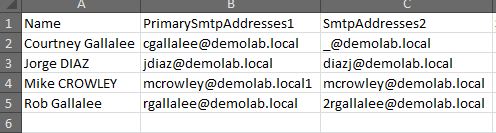
Feb 2021 Edit: Microsoft finally took down the TechNet Gallery. This script is now available on GitHub: RecipientReportv5.ps1 Exchange Server stores alternate email addresses in Active Directory’s multi-valued proxyAddresses attribute. There can be only one uppercase SMTP, and this represents the primary, or “reply to” address. There can be many lower case smtp entries which represent aliases, or alternate addresses. Viewing this information in the Exchange Management Console is straightforward enough: ...

Thank you to all attendees of my sessions at the Cloud Connections conference! I’m making the presentation slides available for download: Piloting Exchange Online - A session on deploying Exchange Online Forefront Online Protection for Exchange - Covering email security features For additional speaker materials, visit the DevConnections website at: http://www.devconnections.com/updates/LasVegas_Spring12/Cloud
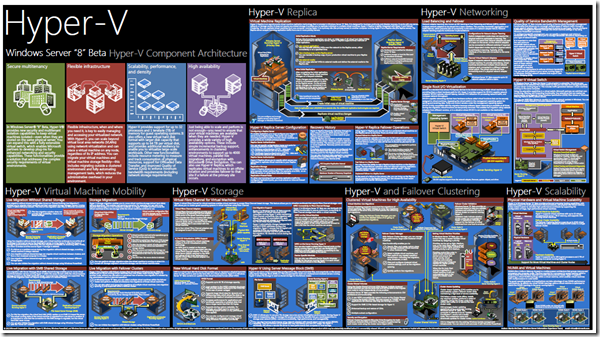
Microsoft has released another high-quality poster, this time featuring the Hyper-V architecture in Windows Server “8” Beta. My favorite part of the Windows Server “8” release has to be the Hyper-V updates. You can download the poster from Microsoft’s website. Additional Reading Understand and Troubleshoot Hyper-V Replica in Windows Server “8” Beta How does Storage Migration actually work? Videos Windows 8 Hyper-V: Availability Video Windows 8 Hyper-V: Scalability Video Hyper-V Cmdlets in Windows Server “8” Demo Video Windows Server “8” Extensible Switch in Hyper-V interview with Bob Combs
Thanks to all readers of the site. Today I purchased the “No Ads” upgrade, and thus made the internet a cleaner place. Enjoy!
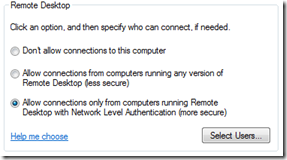
There is a critical Remote Desktop vulnerability that requires immediate patching. Install this update immediately – Microsoft security bulletin MS12-020. This vulnerability affects multiple Windows versions, particularly those exposing Remote Desktop to the internet, such as Terminal Servers. For those unable to patch immediately, I recommend enabling Network Level Authentication (NLA) as a temporary mitigation. To configure NLA, open the Remote Desktop settings and select the option to allow connections only from computers running Remote Desktop with Network Level Authentication. ...
PST (Personal Storage Table) files have several valid uses. Home Outlook users, and those who use IMAP/POP accounts such as Gmail and Hotmail, will always need them. In enterprise environments, they can be used for archiving data in organizations which do not enforce retention policies. In these cases, PST files can be configured through group policy and AutoArchive features. However, in most situations, PST files represent unmanaged storage of email. For regulated enterprises, this can create real compliance problems. When legal discovery is required, PST files scattered across user machines become a nightmare for administrators and legal teams alike. ...
Microsoft releases Exchange 2010 SP2 with Hybrid Configuration Wizard, Address Book Policies, Cross-Site OWA Redirection, and OWA Mini.
Planet Technologies hosts a free webcast providing tips, insights, and updates on Office 365 and Exchange Online.
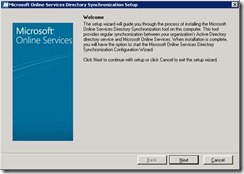
Detailed installation walkthrough of the new 64-bit Office 365 DirSync, including prerequisites, configuration wizard, and FIM exploration.
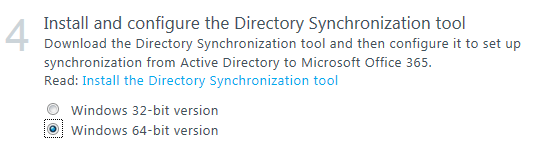
Microsoft announces the availability of a 64-bit DirSync for Office 365, based on Forefront Identity Manager 2010.
Download links for Exchange Online Administration and Archiving & Compliance slide decks from Exchange Connections Las Vegas 2011.
RIM’s hosted BlackBerry service for Office 365 is now accepting participants in their open beta program.
Mike Crowley receives the Microsoft MVP award for a second time.
Exchange 2010 SP2 removes the need for the /hosting switch, enabling standard deployments to support multi-tenant environments.
An illustrated 15-step walkthrough for connecting the BlackBerry Device Simulator to a BlackBerry Enterprise Server 5x for Enterprise Activation testing.
Mike Crowley announces two speaking sessions on Exchange Online at DEV CONNECTIONS in Las Vegas, November 2011.
TechNet forums get a new image upload button, allowing users to share screenshots without third-party hosting.
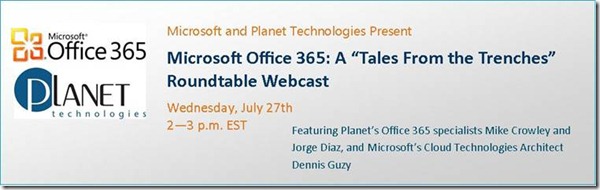
A free interactive roundtable webcast with Planet Technologies and Microsoft experts discussing Office 365 migration challenges and best practices.
The Exchange Remote Connectivity Analyzer (ExRCA) adds a new Office 365 tab for validating Rich Coexistence configurations.
Office 2010 Service Pack 1 was released to Windows Update today. You can download it for yourself here: List of all Office 2010 SP1 packages There are 3 primary enhancements for Outlook 2010: Outlook 2010 SP1 includes Office 365 support. Outlook 2010 SP1 can be set to always use the default sending account. Fixes an issue in which the snooze time does not work correctly between appointments. You can see the complete list of fixes (on all of the Office 2010 products) via KB 2460049. ...
Microsoft has officially launched Office 365 globally. Official press release: http://www.microsoft.com/presspass/press/2011/jun11/06-28MSOffice365PR.mspx This is not just another product announcement. If your work is to support Microsoft technologies, this is something you must learn about…
Recently, I had a chance to chat with Richard Campbell and Greg Hughes on the popular RunAS Radio Show. The topic was Information Rights Management and how it relates to Exchange Server. This was also a feature I demonstrated on stage at the Exchange Connections event in Orlando earlier this year. If you’re not sure what IRM is or does, or if you wish to learn more about it, be sure to tune in on May 4th to listen to show #210! ...
Until now, there were no Remote Server Administration Tools (RSAT) available for Windows 7 SP1. Microsoft released an updated version today which adds this support. You can download it here: Remote Server Administration Tools for Windows 7 with Service Pack 1 (SP1)
There has been a security breach identified with many Comodo Certificates. If you’re running Windows you need to apply this patch immediately. http://support.microsoft.com/?kbid=2524375 If you’re using Mac or Linux, this affects you too, however I do not have links for you at this time.
Two big developments for BlackBerry admins today: Microsoft’s Hosted Exchange (BPOS / Office 365) announced it would provide complimentary BlackBerry licenses for existing mailbox subscribers. RIM revealed plans to introduce a cloud-based BES service. Check out the official announcement at the Microsoft Office 365 blog for additional details.
Are you using Internet Explorer 8? Whelp, you’re now officially running Legacy software! IE9 released to the Microsoft Download Center tonight. Windows Vista / Server 2008: Windows Internet Explorer 9 for Windows Vista 64-bit Edition and Windows Server 2008 64-bit Edition Windows Internet Explorer 9 for Windows Vista and Windows Server 2008 (x86) Windows 7 / Server 2008 R2: Windows Internet Explorer 9 for Windows 7 64-bit Edition and Windows Server 2008 R2 64-bit Edition Windows Internet Explorer 9 for Windows 7 (x86) I’ve been using this for a while and after getting over a few bumps and learning curves, I can now say I really like it! ...
Microsoft has released another great poster; this time for the new Hyper-V architecture within Windows 2008 R2 Service Pack 1. You can download it by clicking here: http://www.microsoft.com/downloads/en/details.aspx?FamilyID=93C814D0-FE4B-4D5B-B280-1B9807EC9933&displaylang=en
Exchange Connections is an event held twice a year for the purpose of learning about Exchange Server and meeting other professionals working with the technology. It is held alongside several other “Connections” events and has always been a lot of fun! For a list of sessions checkout this link: http://www.devconnections.com/conf/sessions.aspx?s=163 If you’re planning on attending, please come say hello. I will be delivering the following sessions: EXC13: Forefront TMG Client Access Publication and Edge Transport Integration ...
Here’s a quick tip for running a service pack report against your Active Directory servers using PowerShell. Method 1 The first approach retrieves all computer accounts from Active Directory, then filters results: 1 Get-ADComputer -Properties OperatingSystem, OperatingSystemServicePack -Filter * | Where-Object {$_.OperatingSystem -like '*server*'} | Format-Table name, oper* -autosize This technique retrieves all computer objects before filtering. Method 2 The improved approach applies filtering at query time: 1 Get-ADComputer -Properties OperatingSystem, OperatingSystemServicePack -Filter {OperatingSystem -like '*server*'} | Format-Table name, oper* -autosize By making smarter use of the -Filter switch and filtering before retrieval, this can lead to a significant amount of time saved. ...
With Windows XP, you could set your own login background colors and/or wallpaper by modifying the values found in the following registry location: HKEY_USERS\.DEFAULT\Control Panel\Desktop. Windows 7 no longer reads this registry key. Instead you’ve got to complete the multi-step process described in [this article](http://technet.microsoft.com/en-us/library/ee ostensibly). While the steps to set a login wallpaper are not complicated, one challenging limitation is the fact your background wallpaper needs to reside on the workstation’s hard drive. Interestingly, this is not true for the user’s wallpaper, as there are GPO settings to point to a network location. ...
Just a quick note to remind everyone that Service Pack 1 for Windows 7 and Windows 2008 R2 has just now become available for download on TechNet & MSDN. If you don’t have a TechNet or MSDN subscription you should see it on the Microsoft Download sites next Tuesday. [EDIT: Here is the download Link] Be sure to check with each product group before installing this. Obviously it is supported with the OS itself (clustering, Hyper-V, RDS, etc) but you should seek a direct support statement like the one the Exchange group published. ...
A while back, I complained about the difficulty in obtaining the necessary hotfixes for Exchange 2010’s Service Pack 1. Upon reviewing the “Hotfixes and Security Updates included in Windows 7 and Windows 2008 R2 Service Pack 1” article, I verified that all necessary hotfixes are contained within that service pack. The recommendation is straightforward: if you’re planning on installing Exchange 2010 SP1, installing Windows 2008 R2 Service Pack 1 first may save you considerable time.
I realize I haven’t posted in a while. I hope I haven’t lost my place in anyone’s RSS reader! I’m working on several articles, but it’s been very busy at Planet Technologies, and I’ve struggled to find much “blog time”. We’ve actually been so busy, I’m looking for consultants to join our team and help me out! Sadly, in my search for qualified individuals, I have been amazed at how many horrible resumes I have encountered! ...
BlackBerry Desktop Software version 6.0.1.18 finally adds support for 64-bit Microsoft Outlook.
PowerShell one-liners for both the native AD module and Quest tools to identify users missing UPN attributes and assign them automatically.
Detailed installation guide for Forefront Protection Server Management Console 2010, covering restrictions, system requirements, and configuration steps.
A PowerShell script that converts mailboxes to mail-users without losing Exchange custom attributes by capturing and reapplying them during the conversion process.
FEP 2010 is now in release candidate stage, due to RTM in December 2010, including the Security Management Pack for SCOM.
Curated list of Network Monitor how-to videos covering capturing, filtering, reassembly, and PowerShell automation.
Part 1 of a series on FPSMC 2010, a centralized management solution for organizations protecting multiple Exchange and SharePoint servers with Forefront.
The Exchange 2010 SP1 IPD guide from Microsoft’s Solution Accelerator team is now in open beta, covering scope, design, sizing, and fault tolerance.
Noting the release of Microsoft’s Remote Desktop Connection Client for Mac 2.1, helpful for higher education environments.
Pointing readers to Steve Goodman’s analysis of Office 365’s impact on Exchange, from Live@EDU to Exchange admin job security.
Microsoft disabled RPC encryption by default in Exchange 2010 SP1 due to customer feedback about Outlook 2003 compatibility issues.
Diagnosing why PCNS stopped syncing passwords to Live@EDU: the root cause was Domain Users nested under Print Operators, triggering AdminSDHolder to stamp adminCount on all student accounts.
Join Microsoft MVPs for a live Q&A chat on October 14, 2010, covering Office 2010/2007 and Windows 7 topics.
BES 5.0.2 adds Exchange 2010 SP1 support, but a KB article warns of issues when public folders are not enabled.
Announcing my Microsoft MVP award, thanking the community for their visits and support.
Commenting on Exchange 2010 certifications at SearchExchange.TechTarget.com and inviting community feedback.
A software update resolves the known incompatibility between Exchange 2010 SP1 Edge Transport and Forefront TMG 2010 SP1.
Gartner’s 2010 MarketScope gives Exchange 2010 its only ‘Strong Positive’ rating, citing storage efficiency, HA, and dual deployment options.
Overview of Forefront Endpoint Protection 2010 (beta), Microsoft’s renamed file-level antivirus delivered through SCCM with automatic competitor removal.
The Exchange 2010 SP1 installer requires several prerequisite hotfixes that are not bundled with the service pack. Here’s how to find them and a ZIP with all required updates.
Microsoft releases a pre-configured VHD for Exchange 2010 SP1, allowing quick testing without manual installation. Requires Hyper-V.
Announcing the release of Exchange 2010 SP1 RTM on TechNet.
A comprehensive architecture diagram and poster from Microsoft depicting the Remote Desktop Services technology stack.
BlackBerry Desktop Software 6.0 adds Outlook 2010 32-bit support, with 64-bit support promised for 2011.
A deep dive into Exchange 2010’s Delayed SMTP Acknowledgement feature, a subset of Shadow Redundancy that protects messages from non-Exchange servers.
First look at the upcoming SBS 7 bundling Windows Server 2008 R2 and Exchange 2010 SP1, plus the new Aurora offering for up to 25 users.
Four commonly overlooked best practices when setting up Exchange 2010 DAGs: managing cluster accounts, static IPs, and renaming networks.
Network Monitor 3.4 is released with parser configuration management, color rules, high-performance filtering, UTC timestamps, and 802.11n support.
Looking forward to Independence Day with a cookout, bonfire, and backyard fireworks - plus a plug for Chicago Steak Company.
Exchange Server 2010 Update Rollup 4 released, addressing issues with signed messages, IMAP4, MAPI, mailbox migration, public folder replication, and DAG operations.
The long-awaited Active Directory Migration Tool v3.2 is released for Windows Server 2008 R2, providing integrated toolset for AD domain migration and restructuring.
A look at features removed or de-emphasized between Exchange 2010 RTM and SP1, including Export-Mailbox, ISInteg, and Managed Folders in EMC.
Added a new page to the blog listing certifications.
A detailed look at the new features in Exchange 2010 SP1, covering installation, client access, transport, permissions, high availability, compliance, unified messaging, and more.
Exchange 2010 SP1 introduces multi-tenant hosting support, replacing HMC 4.5, with specific deployment requirements and feature limitations.
Key prerequisites and observations from installing Exchange 2010 SP1 Beta, including schema extensions, hotfix requirements, and new features.
Configuring Exchange recipient validation to block messages to non-existent recipients, reducing backscatter and improving mail hygiene.
Solving the Exchange problem of forwarding multiple mail-user accounts to a single external address by manipulating proxy addresses via PowerShell.
System Center Essentials 2010 is now downloadable on TechNet, featuring support for 50 servers, built-in VMM 2008 R2, and a redesigned console.
Moved blog content to WordPress, with older posts still available on Windows Live Spaces.
Quest Software’s Notes Migrator for Exchange now supports Exchange 2010, filling the gap left by Microsoft’s unsupported Transporter Suite.
A list of approximately 50 technology-focused RSS feeds I follow, covering Exchange, Active Directory, Windows Server, virtualization, and more.
Announcing SQL Server 2008 R2 availability on TechNet, with general availability expected May 6, 2010.
A full-day technical workshop at Microsoft in Reston, VA covering Windows 7 enterprise features, MDOP, App-V, MED-V, and virtualization.
Announcing the availability of Office 2010 and SharePoint 2010 on TechNet, with GA scheduled for June 15, 2010.
Reflections on passing the 70-669 beta exam covering App-V, MED-V, RDS, SCCM, XP Mode, Virtual PC, VDI, and more.
A guide to understanding Microsoft’s various virtualization products: Presentation, Hardware, VDI, MED-V, and App-V.
Passed the 71-662 Microsoft Exchange Server 2010 Configuration beta exam and earned the MCTS certification.
Exchange 2010 cannot coexist with Exchange 2000. Here are the supported upgrade scenarios for getting from Exchange 2000 to Exchange 2010.
Documenting an in-place upgrade from Windows Server 2008 SP2 Enterprise x64 to Windows Server 2008 R2 RTM with prerequisites and step-by-step screenshots.
Seven guidelines for improving your TechNet Forum posts and getting better responses from the community.
A screenshot gallery documenting the Exchange Server 2010 Beta installation wizard steps.
The Microsoft Transporter Suite update adds multi-threading for POP/IMAP migrations and improved Domino support including Windows Server 2008 and Domino R8 compatibility.
Troubleshooting and fixing an App-V 4.6 RC client connection error caused by the Network Service account lacking permissions to the server’s SSL certificate private key.
A quick method for remotely enabling Remote Desktop using PsExec, command-line firewall rules, and a registry edit.
Step-by-step guide for installing SSL certificates on Exchange 2007, including CSR generation, vendor selection, and enabling services.