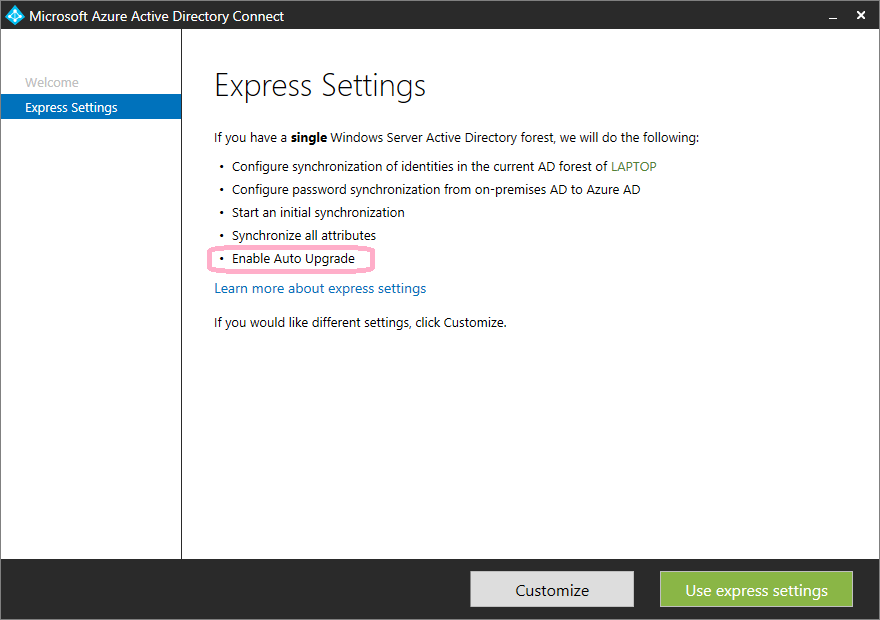
Enabling/Disabling AAD Connect's Automatic Upgrade Feature
Azure AD Connect 1.1 introduced automatic upgrades. Here’s how to enable or disable this feature and when you might want to.
Azure AD Connect 1.1 introduced automatic upgrades. Here’s how to enable or disable this feature and when you might want to.
I was invited back to the Exchange Server Pro Podcast to discuss Exchange Server’s Preferred Architecture and how to balance best practices against real-world environments.

Announcing my presentation on Office 365 directory synchronization at the Rockville-based Office 365 user group meeting on November 12, 2015.
I joined Paul Cunningham on the Exchange Server Pro Podcast to discuss ways to protect Exchange from attack and recent OWA vulnerabilities.

Microsoft’s documentation for Azure AD Connect cmdlets was severely lacking. Here’s a reference table of all 69 ADSync module cmdlets with notes and examples.

Announcing two speaking sessions at IT/Dev Connections: Exchange Online Protection In-Depth and Mastering PowerShell for Exchange Online.
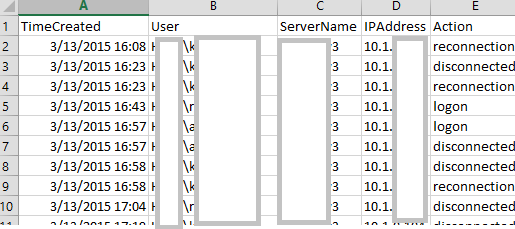
Introducing RDPConnectionParser.ps1 for collecting Remote Desktop session data and an updated RecipientReportv5.ps1 for Exchange recipient analysis.
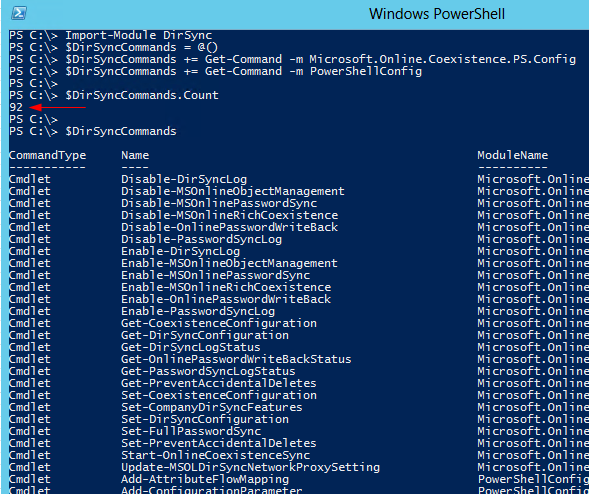
DirSync’s PowerShell functionality can now be invoked through the Import-Module cmdlet rather than running a custom DirSyncConfigShell.psc1 file. The module contains approximately 92 DirSync-related cmdlets. Module Structure The DirSync module itself functions as a wrapper containing no cmdlets. Instead, it calls %programfiles%\Windows Azure Active Directory Sync\dirsync\DirSync.psd1. The actual cmdlets are housed in the Microsoft.Online.Coexistence.PS.Config module and PowerShellConfig. Documented Cmdlets (25 total) Notable documented cmdlets include: ...
Today, Microsoft released a 9 page guide on backing up and restoring the Microsoft Azure Active Directory Sync tool. You can get it here. Some things to keep in mind: This guide applies to DirSync when used with the full version of SQL only. This means it does not apply to most installations. You don’t need to backup or restore DirSync. If you simply install a new instance and configure it appropriately, the objects will re-sync. Doing a backup/restore can save time however, if you have a very large number of users (I wouldn’t bother with less than 100k). Ironically, this guide doesn’t actually tell you how to backup or restore the database. You need some SQL-aware backup product to do that. Instead, this guide helps you make use of a restored database in a DirSync environment (working with miisclient.exe, handling keys, etc).
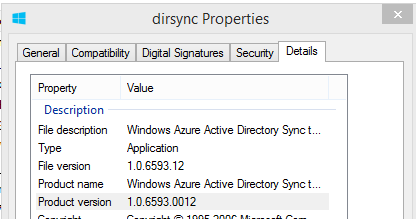
Late Monday, Microsoft released another update to the DirSync software, this time with a build number of 6593.0012. You can download it in from the usual link. As with previous DirSync updates, there has been no official announcement of the release, however the “use at your own risk” Wiki does mention one of the new features: Version 6593.0012 Date Released 2/3/2014 Notable Changes New features: Additional Attributes are synchronized on User and Contact objects The new attributes referenced in the link are userCertificate and userSMIMECertificate. Interestingly pwdLastSet was also added, however there is no mention of that one in the article. These additions serve an unknown purpose for now, however one might speculate that they are in support of new capabilities soon to be available in the service?! ...