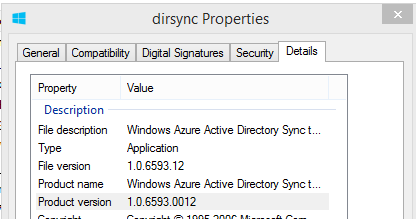
DirSync version properties

DirSync 1.0.6593.0012

Late Monday, Microsoft released another update to the DirSync software, this time with a build number of 6593.0012. You can download it in from the usual link. As with previous DirSync updates, there has been no official announcement of the release, however the “use at your own risk” Wiki does mention one of the new features: Version 6593.0012 Date Released 2/3/2014 Notable Changes New features: Additional Attributes are synchronized on User and Contact objects The new attributes referenced in the link are userCertificate and userSMIMECertificate. Interestingly pwdLastSet was also added, however there is no mention of that one in the article. These additions serve an unknown purpose for now, however one might speculate that they are in support of new capabilities soon to be available in the service?! ...
February 3, 2014 · 3 min · Mike Crowley
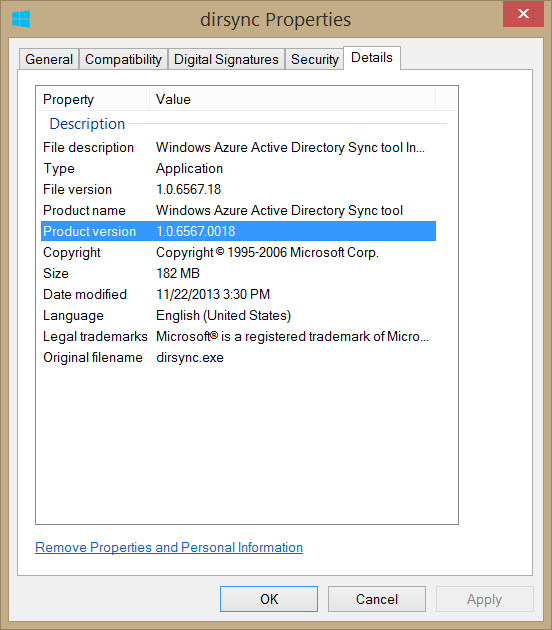
DirSync installer properties showing version 1.0.6567.0018

DirSync 1.0.6567.0018 Has Been Released

Microsoft released DirSync version 1.0.6567.0018 after quietly withdrawing a previous version last week. The prior iteration had encountered synchronization complications during the export phase, documented in KB 2906832. New Feature DirSync can now be installed on a Domain Controller. Important: You must log off and log on AFTER installation and BEFORE running the configuration wizard. Bug Fixes and Improvements This release addresses multiple technical issues: ...

November 22, 2013 · 1 min · Mike Crowley
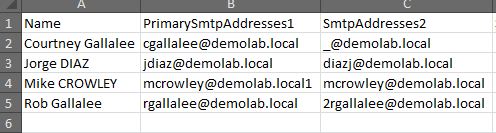
Excel spreadsheet showing Exchange proxy address report output with names and SMTP addresses

Exchange ProxyAddress Report Update

I’ve published an update to the popular Exchange Proxy Address (EmailAddresses) Report script. The updated script includes improved output formatting for both on-screen display and Excel export. Check out the original post for download and usage details.

November 15, 2013 · 1 min · Mike Crowley
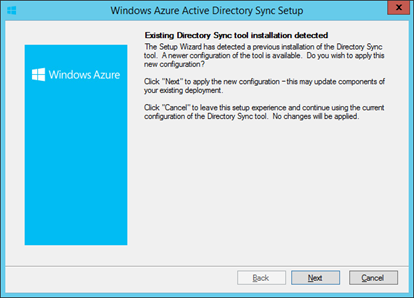
DirSync upgrade installer

Upgrading DirSync to the Latest Version

EDIT (Nov. 22, 2013): DirSync 1.0.6567.0018 Has Been Released EDIT (Nov. 11, 2013): DirSync 1.0.6553.2 has been removed from Microsoft’s download site and version history comment removed from the Wiki. Not sure why. Early this morning, Microsoft released an updated version of Windows Azure Active Directory Sync tool (DirSync to you and me). Version 1.0.6553.2 (or later) can be downloaded from the usual link. It comes with 4 known improvements: Fix to address Sync Engine memory leak Fix to address “staging-error” during full import from Azure Active Directory Fix to handle Read-Only Domain Controllers in Password Sync DirSync can be installed on a Domain Controller I am most excited about #4, as this enables me to build more interesting labs from my laptop, now that I don’t need a dedicated “DirSync Server”. You should note however, this is recommended only for “development” environments. After some further testing, I’d consider recommending this configuration for shops with multiple domain controllers and 50 or fewer users. ...

November 5, 2013 · 3 min · Mike Crowley
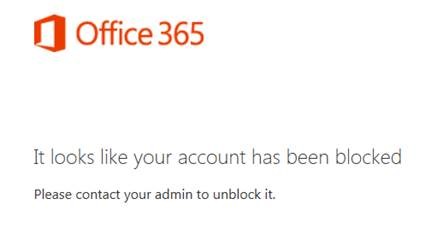
Office 365 account blocked error

DirSync and Disabled Users: The BlockCredential Attribute [Part 1]

In this two-part article, I will describe a scenario in which DirSync sets the Azure BlockCredential attribute of disabled Active Directory users. In Part 1 (below) I explain how the Windows Azure Active Directory Sync tool (DirSync) causes this to happen. Part 2 discusses how to change this behavior. As I’ve been discussing, DirSync can be more complicated than it appears. Even if you are familiar with the miisclient.exe console, some of FIM’s logic is hidden in “Rules Extension” DLL files such as MSONLINE.RulesExt.dll. These files can be reverse-engineered to some degree, however it can be very difficult. ...

October 23, 2013 · 3 min · Mike Crowley
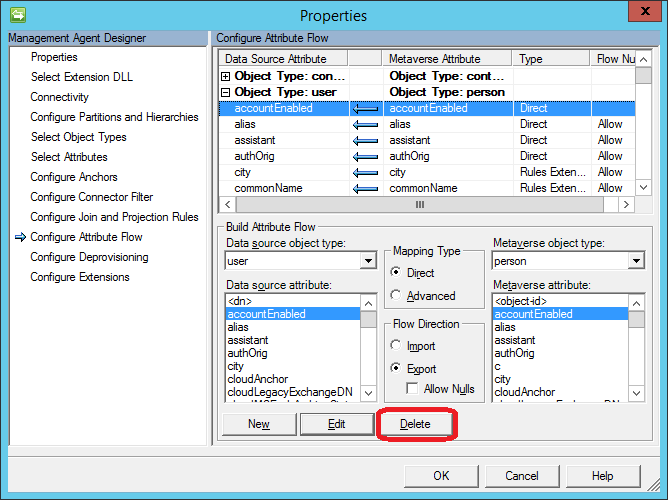
Deleting the accountEnabled attribute flow

DirSync and Disabled Users: The BlockCredential Attribute [Part 2]

In this two-part article, I have laid out a scenario in which DirSync sets the Azure BlockCredential attribute of disabled Active Directory users. In Part 1, I explained how the Windows Azure Active Directory Sync tool (DirSync) causes this to happen. Part 2 (below) discusses how to change this behavior. Last time, we saw that magic a rules extension prevents a user from logging into Office 365 if their on-premises Active Directory account was disabled. Below, I’ll show you how to override this attribute flow, but first a note on Microsoft Support: ...

October 23, 2013 · 3 min · Mike Crowley

Updated Bio

I finally got around to updating my Bio page for anyone interested.

October 23, 2013 · 1 min · Mike Crowley

DirSync: Determine if Password Sync is Enabled

For those not interested in the complete DirSync Report published last week, you can now run just the Password Hash Sync portion using a script published here: Dirsync: Determine if Password Sync is Enabled. For deployments with remote SQL installations: As with the previous report, note that the script uses the SQL PowerShell Module, which must be present on the computer. If you like this post, you may like my others on DirSync: DirSync tag.

October 22, 2013 · 1 min · Mike Crowley

System Center 2012 R2 Evaluation Virtual Machines

Microsoft has published seven System Center evaluation VHDs. They are great and very easy to deploy, with a wizard automatically configuring them into your environment! Available Downloads System Center 2012 R2 App Controller – Evaluation (VHD) System Center 2012 R2 Configuration Manager – Evaluation (VHD) System Center 2012 R2 Data Protection Manager – Evaluation (VHD) System Center 2012 R2 Operations Manager – Evaluation (VHD) System Center 2012 R2 Orchestrator – Evaluation (VHD) System Center 2012 R2 Service Manager – Evaluation (VHD) System Center 2012 R2 Virtual Machine Manager – Evaluation (VHD) For more information, see the “What’s New in System Center 2012 R2” documentation from Microsoft. ...

October 22, 2013 · 1 min · Mike Crowley
DirSync busted users CSV report

DirSync "Busted Users" Report

If you administer DirSync for your organization, you likely have seen emails like this, indicating some of your users didn’t sync. It can be a frustrating email, since the “error description” is for some reason blank and the “On-premises object ID” column is not something that’s easy to correlate to a user account within your Active Directory. There are also application event log entries (FIMSynchronizationService #6111 and Directory Synchronization #0), but again these aren’t exactly rich with detail. ...

October 17, 2013 · 3 min · Mike Crowley