
Azure AD Connect PowerShell Cmdlets
Microsoft’s documentation for Azure AD Connect cmdlets was severely lacking. Here’s a reference table of all 69 ADSync module cmdlets with notes and examples.
Microsoft’s documentation for Azure AD Connect cmdlets was severely lacking. Here’s a reference table of all 69 ADSync module cmdlets with notes and examples.

Announcing two speaking sessions at IT/Dev Connections: Exchange Online Protection In-Depth and Mastering PowerShell for Exchange Online.
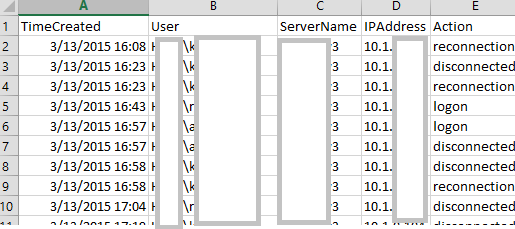
Introducing RDPConnectionParser.ps1 for collecting Remote Desktop session data and an updated RecipientReportv5.ps1 for Exchange recipient analysis.
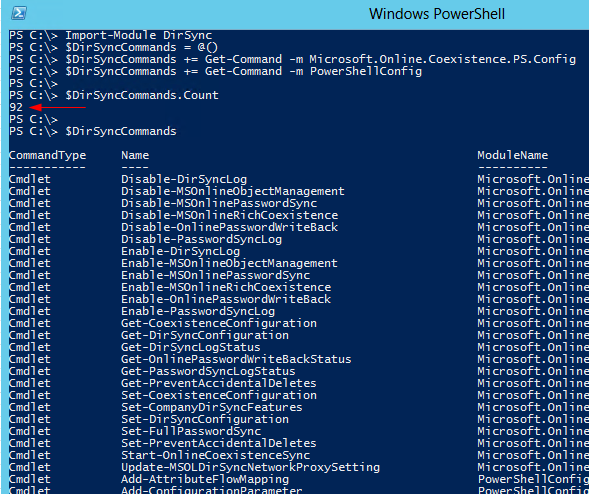
DirSync’s PowerShell functionality can now be invoked through the Import-Module cmdlet rather than running a custom DirSyncConfigShell.psc1 file. The module contains approximately 92 DirSync-related cmdlets. Module Structure The DirSync module itself functions as a wrapper containing no cmdlets. Instead, it calls %programfiles%\Windows Azure Active Directory Sync\dirsync\DirSync.psd1. The actual cmdlets are housed in the Microsoft.Online.Coexistence.PS.Config module and PowerShellConfig. Documented Cmdlets (25 total) Notable documented cmdlets include: ...
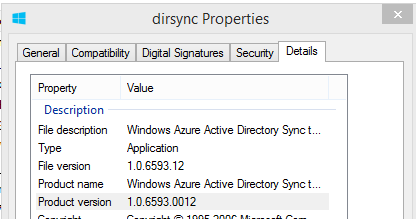
Late Monday, Microsoft released another update to the DirSync software, this time with a build number of 6593.0012. You can download it in from the usual link. As with previous DirSync updates, there has been no official announcement of the release, however the “use at your own risk” Wiki does mention one of the new features: Version 6593.0012 Date Released 2/3/2014 Notable Changes New features: Additional Attributes are synchronized on User and Contact objects The new attributes referenced in the link are userCertificate and userSMIMECertificate. Interestingly pwdLastSet was also added, however there is no mention of that one in the article. These additions serve an unknown purpose for now, however one might speculate that they are in support of new capabilities soon to be available in the service?! ...
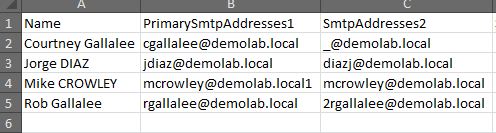
I’ve published an update to the popular Exchange Proxy Address (EmailAddresses) Report script. The updated script includes improved output formatting for both on-screen display and Excel export. Check out the original post for download and usage details.
For those not interested in the complete DirSync Report published last week, you can now run just the Password Hash Sync portion using a script published here: Dirsync: Determine if Password Sync is Enabled. For deployments with remote SQL installations: As with the previous report, note that the script uses the SQL PowerShell Module, which must be present on the computer. If you like this post, you may like my others on DirSync: DirSync tag.

If you administer DirSync for your organization, you likely have seen emails like this, indicating some of your users didn’t sync. It can be a frustrating email, since the “error description” is for some reason blank and the “On-premises object ID” column is not something that’s easy to correlate to a user account within your Active Directory. There are also application event log entries (FIMSynchronizationService #6111 and Directory Synchronization #0), but again these aren’t exactly rich with detail. ...
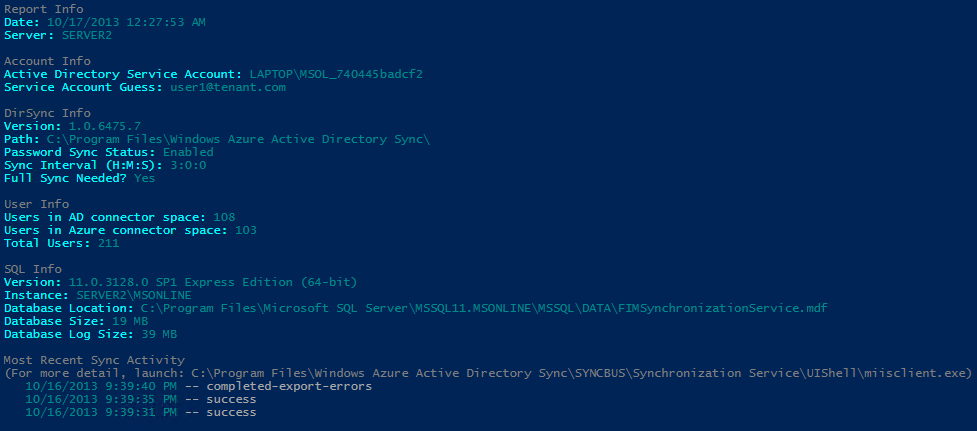
Azure Active Directory Sync (DirSync) seems so simple on the surface doesn’t it? “Next, Next, Finish”, right? Ha! If you’ve ever had to revisit your DirSync server to troubleshoot or make a configuration change, you know there can be more than meets the eye. A lot of useful information happens to be scattered across various registry keys, SQL tables and XML files. If you’re not familiar with the FIM Management Console, and these other locations it might be hard to see what’s going on. ...

Update: Be aware, this script has not been tested with SIP, X400 or other address types. I recently encountered a question in an online forum where someone asked for a script to convert all of their user’s email addresses to lower case values. While this doesn’t affect the message delivery, it can have an impact on aesthetics when the address is displayed in an external recipient’s email client. An Exchange Email Address Policy can do this to some degree, but I wanted to see how it could be done with PowerShell. ...